
Your First Cart
Follow a complete tutorial to build a real cart Start Tutorial →
Get a working shopping cart running on your site in 2 minutes with this copy-paste example.
Copy this entire HTML file and open it in your browser:
<!DOCTYPE html><html lang="en"><head>  <meta charset="UTF-8">  <meta name="viewport" content="width=device-width, initial-scale=1.0">  <title>Campaign Cart Quick Start</title>
  <!-- Your API key -->  <meta name="next-api-key" content="YOUR_API_KEY_HERE">
  <!-- Campaign Cart SDK -->  <script src="https://cdn.jsdelivr.net/gh/NextCommerceCo/[email protected]/dist/loader.js" type="module"></script>
  <style>    body { font-family: system-ui; max-width: 800px; margin: 40px auto; padding: 20px; }    .product { border: 1px solid #ddd; padding: 20px; border-radius: 8px; margin: 20px 0; }    .cart { background: #f8f9fa; padding: 20px; border-radius: 8px; position: sticky; top: 20px; }    button { background: #0066cc; color: white; border: none; padding: 12px 24px;             border-radius: 6px; cursor: pointer; font-size: 16px; }    button:hover { background: #0052a3; }    .price { font-size: 24px; font-weight: bold; color: #333; }  </style></head><body>  <h1>My Store</h1>
  <!-- Product -->  <div class="product">    <h2>Premium Widget</h2>    <p>The best widget you'll ever own.</p>    <p class="price" data-next-display="package[123].price">$29.99</p>    <button data-next-action="add-to-cart" data-next-package-id="123">      Add to Cart    </button>  </div>
  <!-- Cart Summary -->  <div class="cart">    <h3>Shopping Cart</h3>    <p>Items: <strong data-next-display="cart.itemCount">0</strong></p>    <p>Total: <strong data-next-display="cart.total">$0.00</strong></p>    <button data-next-action="checkout">Proceed to Checkout</button>  </div></body></html>
Get your API key
Go to Next Commerce Dashboard, open the Campaigns app, select your campaign, click on Integration, and copy your API key.
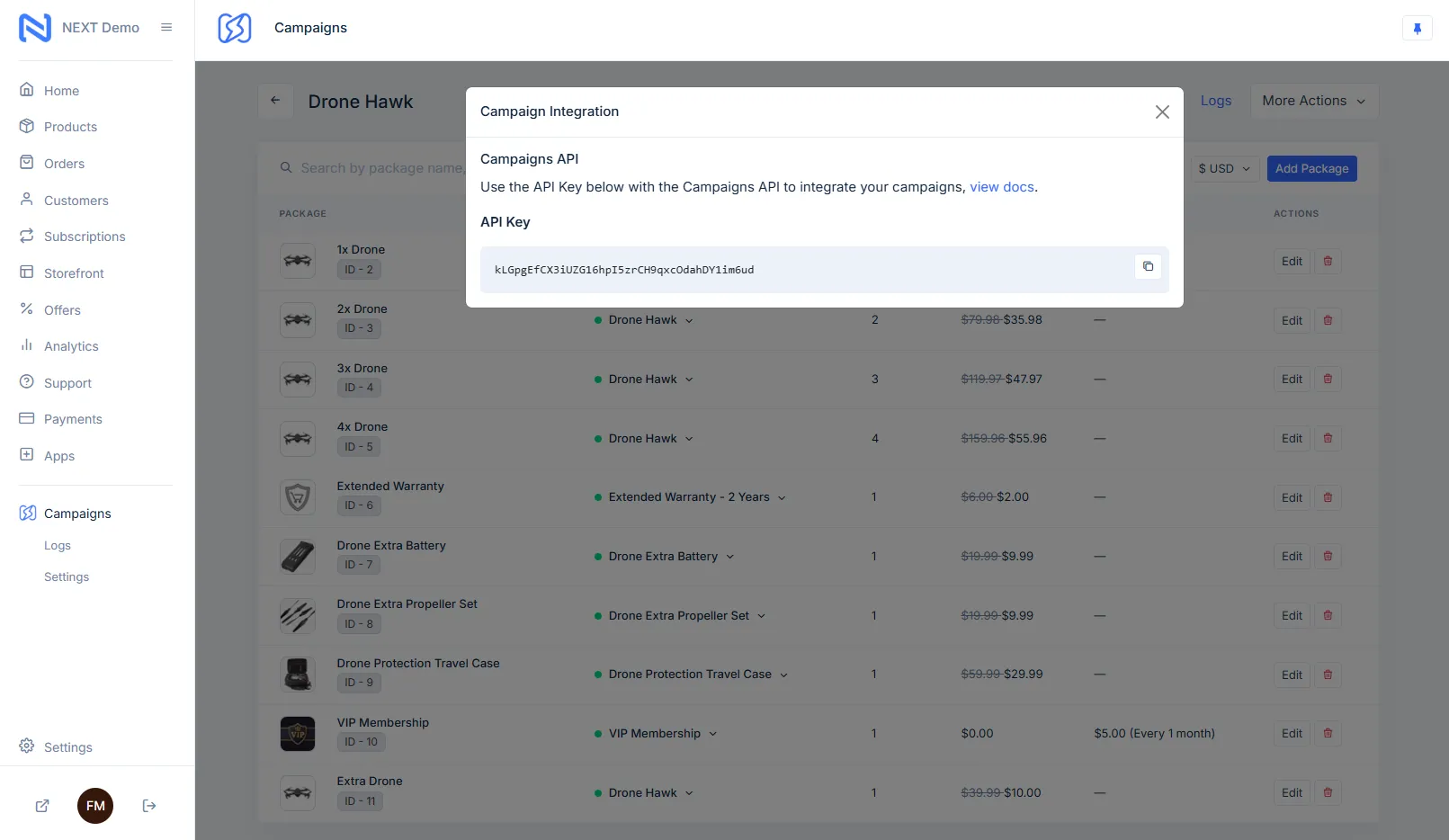
Replace YOUR_API_KEY_HERE
In the HTML above, replace YOUR_API_KEY_HERE with your actual API key.
Open in browser
Save the file and open it in your browser. Click “Add to Cart” and watch the cart update automatically.
When you clicked “Add to Cart”:
Zero JavaScript written by you. Just HTML attributes.
| Attribute | Purpose | Example |
|---|---|---|
data-next-action | Trigger actions (add, remove, checkout) | data-next-action="add-to-cart" |
data-next-package-id | Identify which product | data-next-package-id="123" |
data-next-display | Show dynamic values | data-next-display="cart.total" |
Your First Cart
Follow a complete tutorial to build a real cart Start Tutorial →
Core Concepts
Understand how Campaign Cart works Learn Concepts →
Live Playground
Try interactive examples in your browser Open Playground →
Data Attributes
Explore all available attributes View Reference →